
Pin Dyslexia Font to your toolbar
Two clicks, and the font switch is always one click away.
Waiting for the pin. This page will update on its own.
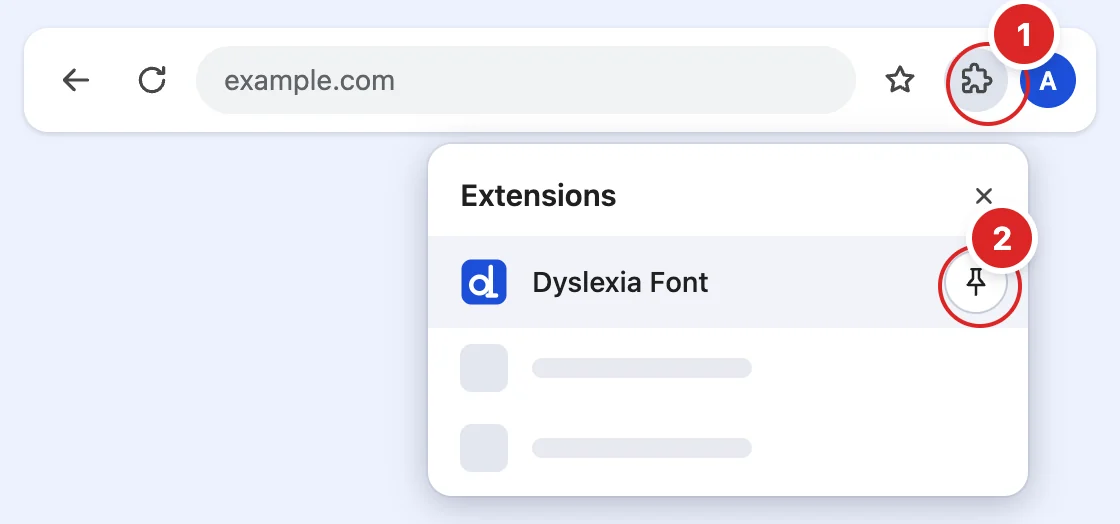
- Click the puzzle icon (top-right of Chrome)
- Click the pin next to Dyslexia Font
Already see the icon on your toolbar? Show me how to use it
Pinned. You're all set
Dyslexia Font is on
Every website now shows in a dyslexia-friendly font.
- Open any websiteA news site, Wikipedia, anything. The font changes on its own.
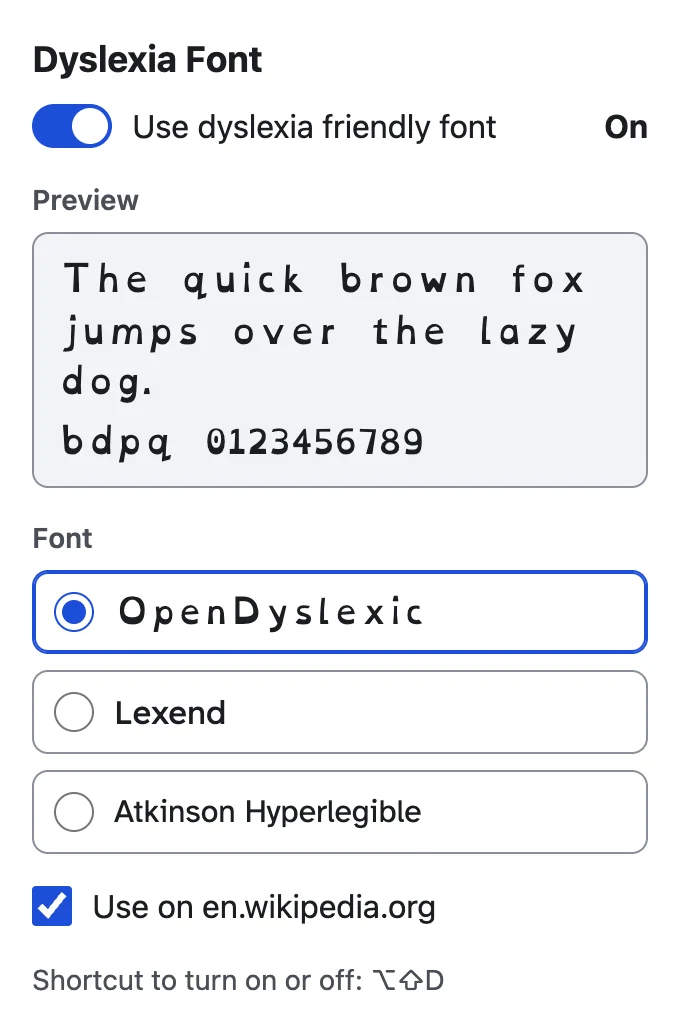
- Click the Dyslexia Font iconIt sits on your toolbar, top right.
- Pick a fontOpenDyslexic, Lexend or Atkinson Hyperlegible.
Before
Reading should not feel like a puzzle.
After
Reading should not feel like a puzzle.
Try it on Wikipedia (opens in a new tab)
No icon on your toolbar? Show how to pin it
An independent tool. Fonts used under the SIL Open Font License.